

Introduction
Every professional has systems and workflows they use repeatedly. Whether it is managing projects, tracking clients, organizing remote teams, planning travel schedules, or handling finances, these processes are often built through years of experience and refinement. What many professionals overlook is that these workflows can become valuable digital products.
Today, businesses, freelancers, remote workers, and entrepreneurs are constantly looking for tools that save time and improve productivity. This demand has created a growing market for templates, checklists, dashboards, planners, and operating procedures. Instead of keeping your knowledge private, you can package it into templates and generate an additional source of income.
The ability to turn expertise into scalable products has become increasingly important in a digital-first economy. By converting your proven processes into templates, you can help others achieve better results while creating a business asset that generates revenue beyond your daily work.
Why Templates Have Become a Growing Digital Product Market
The rise of remote work and digital collaboration has increased demand for ready-made systems. Professionals no longer want to spend hours building workflows from scratch when effective solutions already exist.
Templates offer several benefits:
- Save significant time
- Reduce mistakes and inefficiencies
- Improve consistency
- Simplify complex tasks
- Help users get results faster
Organizations are increasingly purchasing templates for project management, hiring, financial planning, productivity tracking, and remote team coordination. This growing demand creates opportunities for professionals who have valuable processes to share.
The key is understanding that people do not buy templates because of their design. They buy them because of the results those templates help them achieve.
Identify Processes That Solve Real Problems
Before creating a template, identify processes that consistently produce successful outcomes.
Ask yourself:
- What tasks do I repeat regularly?
- What systems save me the most time?
- What workflows do others frequently ask about?
- Which processes help me avoid common mistakes?
- What tools have improved my productivity?
Examples of sellable processes include:
Business Operations
- Client onboarding systems
- Project management workflows
- Sales tracking dashboards
- Meeting management templates
Remote Work Systems
- Weekly planning frameworks
- Team collaboration dashboards
- Time management trackers
- Productivity monitoring systems
Travel and Mobility Planning
- Business travel checklists
- Travel testing documentation trackers
- Digital nomad planning systems
- Trip expense management templates
Financial Planning
- Budget planners
- Savings trackers
- Freelance income calculators
- Cash flow management sheets
The more specific the problem your template solves, the more valuable it becomes to potential customers.
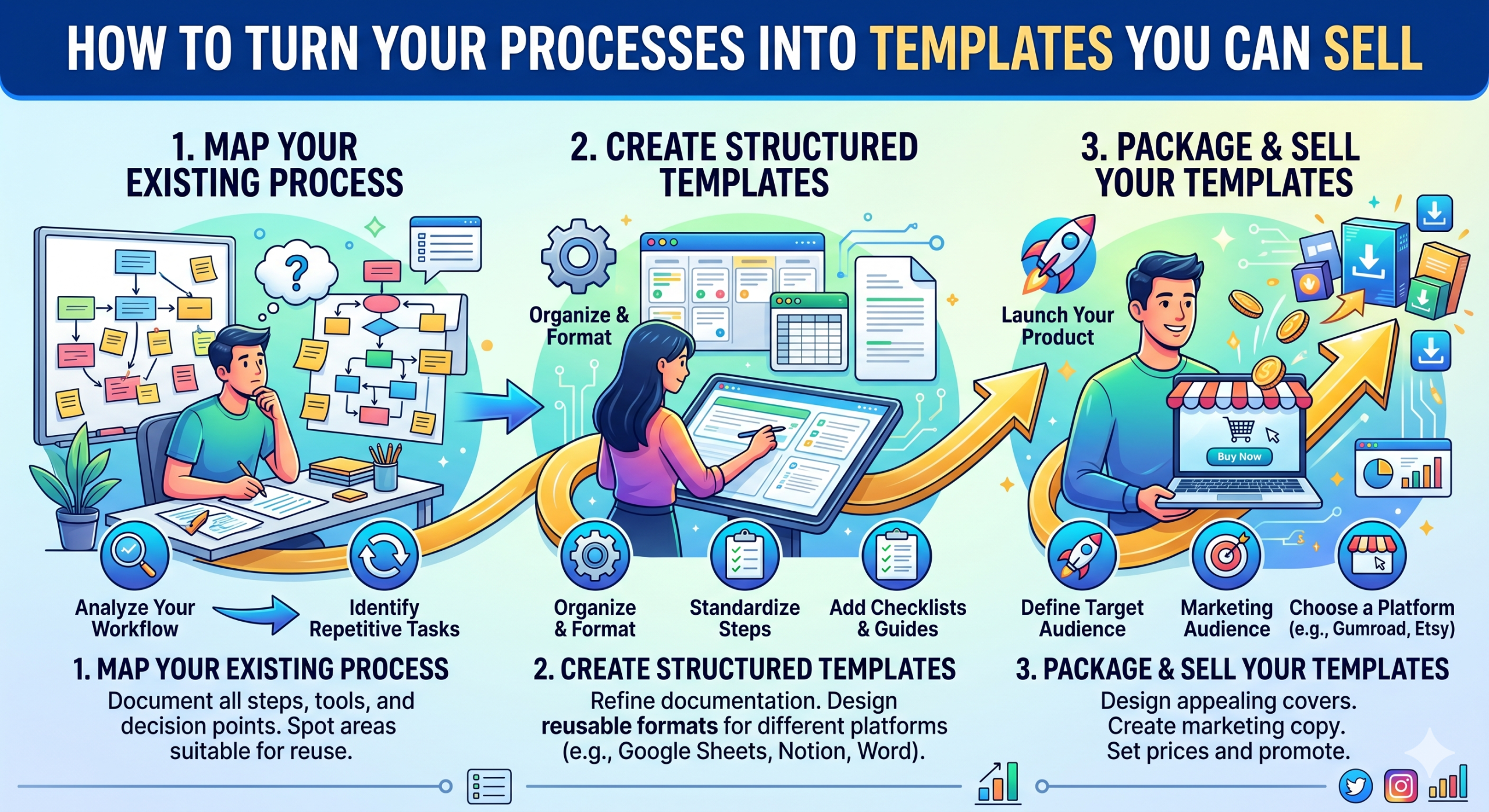
Document Your Process Step by Step
Many professionals perform tasks automatically because they have repeated them for years. However, creating a sellable template requires breaking down the workflow into clear and understandable steps.
Start by documenting:
The Goal
Define the result users will achieve.
Required Inputs
Identify what information users need before starting.
Action Steps
List every step in sequence.
Expected Outcomes
Explain what users should achieve after completing the process.
This documentation phase often reveals opportunities to simplify the workflow and improve usability.
A successful template removes confusion and helps users move efficiently from problem to solution.
Design Templates That Prioritize Simplicity
One of the biggest mistakes template creators make is overcomplicating their products.
Users typically want:
- Easy navigation
- Clear instructions
- Minimal setup time
- Quick results
- Simple customization
Focus on creating templates that are intuitive and practical.
Popular formats include:
- Excel spreadsheets
- Google Sheets
- Notion dashboards
- PDF planners
- SOP documents
- Checklists
- Project boards
For remote teams, usability becomes even more important because people may be working across multiple locations and time zones.
A simple template that solves a problem effectively often performs better than a feature-heavy system that feels difficult to use.
Validate Demand Before Launching
Many professionals spend weeks creating products before confirming whether people actually want them.
Validation helps reduce risk and ensures your efforts focus on products with real market demand.
Effective validation methods include:
- Sharing previews on LinkedIn
- Conducting surveys
- Offering beta versions
- Asking clients for feedback
- Joining professional communities
Pay attention to:
- Questions about availability
- Requests for access
- Comments expressing interest
- Repeated pain points mentioned by professionals
Validation helps you understand which features customers value most and what improvements may be necessary before launch.
The earlier you gather feedback, the stronger your final product becomes.
Create Templates for Remote Work, Productivity, and Travel Management
Remote work has transformed how professionals manage their responsibilities. As a result, demand for productivity-focused templates continues to increase.
High-demand categories include:
Remote Work Templates
- Task management systems
- Team communication frameworks
- Remote onboarding checklists
- Weekly productivity planners
Travel Planning Templates
- Business travel schedules
- Travel testing trackers
- Destination research checklists
- Remote work travel planners
Financial Planning Templates
- Monthly budgeting sheets
- Emergency fund trackers
- Income forecasting dashboards
- Investment planning worksheets
Professionals working remotely often need systems that combine productivity, travel organization, and financial management. Templates that address these interconnected challenges can attract a broad audience.
Build a Marketing Strategy Around Outcomes
A great template will not sell itself. Marketing plays a critical role in attracting buyers and demonstrating value.
Focus your marketing on outcomes rather than features.
Instead of saying:
“Includes 20 worksheets and automation features.”
Say:
“Reduces project planning time by 60%.”
Potential customers care more about results than technical specifications.
Effective marketing channels include:
- LinkedIn content
- Professional newsletters
- Blog articles
- YouTube tutorials
- Industry communities
- Email campaigns
You can also share:
- Case studies
- Before-and-after examples
- Productivity improvements
- Financial savings achieved through the process
Educational content builds credibility and helps potential customers understand how your template can improve their work.
Scale Your Template Business Over Time
Once your first template gains traction, look for opportunities to expand.
You can create complementary products such as:
- Advanced versions
- Industry-specific variations
- Training resources
- Membership communities
- Consulting services
Customer feedback should guide future development.
Monitor:
- Common questions
- Feature requests
- User challenges
- Customer success stories
Over time, a single workflow template can evolve into an entire product ecosystem.
For example, a productivity planner may expand into a complete remote work management system. A budgeting template may grow into a comprehensive financial planning toolkit.
Professionals using global job platforms such as BEST JOB TOOL often identify recurring challenges related to hiring, productivity, and workforce management. These insights can inspire highly valuable templates that solve real-world business problems.
BEST JOB TOOL also helps professionals understand market needs across different industries, making it easier to create templates that address current workplace demands.
Conclusion
Turning your processes into templates is one of the most practical ways to monetize expertise while creating long-term value for others. Every workflow, checklist, planning system, or operational framework you use regularly has the potential to become a digital product that saves time and improves productivity for customers.
Success begins with identifying a process that delivers consistent results, documenting it clearly, simplifying the user experience, validating market demand, and continuously improving based on feedback. Whether your focus is remote work, travel planning, productivity improvement, or financial management, there is a growing market for tools that help professionals work smarter.
As digital work continues to expand globally, professionals who package their expertise into templates will be well-positioned to create scalable income streams and build sustainable businesses. Platforms like BEST JOB TOOL further help professionals understand evolving workplace needs, making it easier to create products that deliver meaningful solutions and long-term value.






Comments
Be the first to leave a comment.