

Introduction
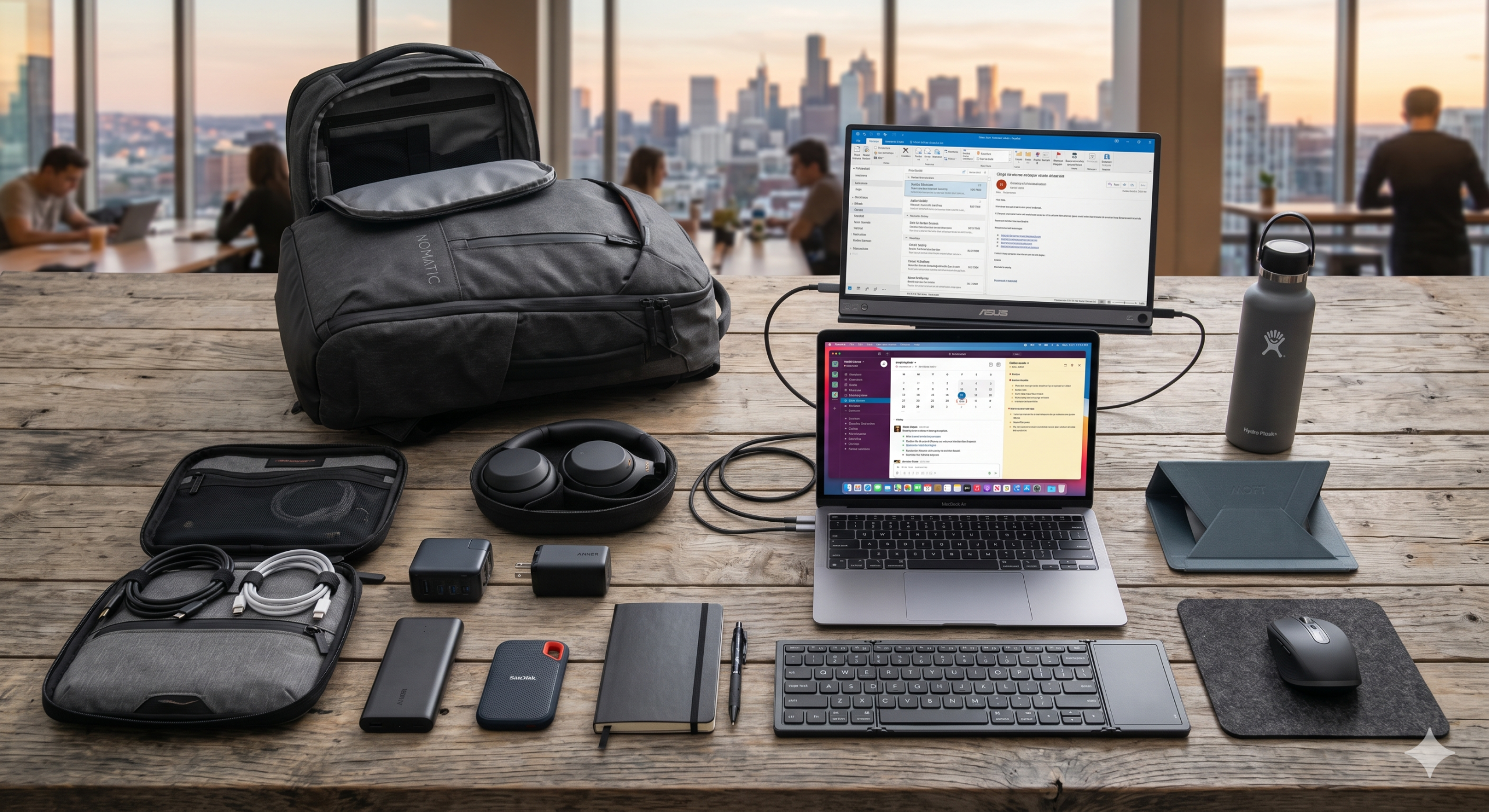
The ability to work from anywhere is no longer a luxury—it is a practical necessity for modern professionals. Whether you are testing remote work, traveling, or managing flexible schedules, a portable office setup ensures continuity, productivity, and efficiency.
The challenge is not just mobility, but creating a compact system that supports professional-grade work without unnecessary bulk. A well-designed backpack office balances functionality, organization, and reliability.
Define Your Work Requirements First
Before selecting equipment, identify what your work actually demands. A portable office should be tailored, not generic.
Consider:
- Type of work (writing, coding, design, meetings)
- Required software and processing power
- Frequency of video calls or collaboration
- Need for external devices or accessories
Your setup should include only what directly supports your workflow. Avoid overpacking tools that add weight without value.
Choose a Lightweight and Powerful Laptop
The laptop is the core of your portable office. It must be reliable, fast, and easy to carry.
Look for:
- Lightweight design (under 1.5–2 kg)
- Long battery life (8–12 hours minimum)
- Solid performance (SSD storage, sufficient RAM)
- Durable build for travel
Avoid bulky or outdated devices that slow you down. Your laptop should support your work without limiting mobility.
Add Essential Accessories Only
Accessories should enhance productivity without cluttering your bag.
Key essentials include:
- Compact wireless mouse or trackpad
- Foldable laptop stand for better ergonomics
- Lightweight keyboard (if needed)
- Noise-canceling earphones or headphones
- Portable webcam or mic (if required for meetings)
Choose multi-functional and compact items to reduce space usage.
Ensure Reliable Power and Connectivity
Power and internet are critical for remote work success. Your setup should include backup options.
Carry:
- High-capacity power bank for laptops and phones
- Universal charger with multiple ports
- Extension cord or compact power strip
- Mobile hotspot device or strong data plan
Uninterrupted access to power and internet ensures you can work from any location without disruption.
Organize Your Backpack Efficiently
Organization determines how quickly and comfortably you can work on the move.
Use:
- Tech pouches for cables and accessories
- Separate compartments for devices and documents
- Minimalist packing approach to avoid clutter
- Waterproof or protective layers for safety
A well-organized backpack reduces setup time and prevents damage to your equipment.
Maintain a Digital-First Workflow
A portable office works best when your systems are cloud-based and accessible from anywhere.
Shift toward:
- Cloud storage for documents and files
- Online collaboration tools
- Digital note-taking instead of paper
- Automated backups
Tools like the Best Job Tool can help manage tasks, track workflows, and keep your professional activities organized across locations.
This reduces dependency on physical materials and improves flexibility.
Prioritize Ergonomics and Comfort
Working on the move should not compromise your health. Even a compact setup should support basic ergonomics.
Consider:
- Using a laptop stand to maintain eye level
- Carrying a foldable seat cushion if working long hours
- Taking regular breaks to avoid strain
- Choosing a backpack with proper weight distribution
Comfort directly impacts productivity, especially during extended work sessions.
Test and Optimize Your Setup Regularly
Your first setup will not be perfect. Continuous improvement is necessary.
After using your portable office:
- Identify items you rarely use
- Replace bulky tools with lighter alternatives
- Upgrade critical components when needed
- Adjust based on different work environments
Many professionals use systems like the Best Job Tool to track productivity patterns and refine their setup based on real usage.
Optimization ensures your setup evolves with your work needs.
Conclusion
Building a portable office that fits in a backpack is about intentional design, not just minimal packing. The goal is to create a system that supports professional work anywhere without compromising efficiency or comfort.
By focusing on essential tools, reliable power, smart organization, and digital workflows, you can build a setup that is both compact and powerful. With Best Job Tool the right structure and continuous optimization, your backpack becomes more than storage—it becomes a complete mobile workspace.






Comments
Be the first to leave a comment.