

Introduction
A resume is one of the most important tools in your job search. It is your first impression to a recruiter or hiring manager. Many people think that updating a resume means completely rewriting it. But this is not always necessary. Often, small updates and adjustments can make your resume fresh, relevant, and more appealing. In this article, we will explore how you can update your resume without overhauling it.
Why Updating Your Resume is Important?
Even if you are not actively looking for a job, keeping your resume updated is essential. Here’s why:
- Reflects Current Skills: Over time, you acquire new skills, certifications, and experiences. An outdated resume will not show your true capabilities.
- Shows Career Growth: Regular updates highlight your professional growth and achievements.
- Increases Job Opportunities: Recruiters prefer candidates whose resumes are up to date.
- Prepares for Networking: You may need your resume when a new opportunity arises suddenly.
Updating a resume does not mean erasing your old one. Instead, it is about refining and improving it.
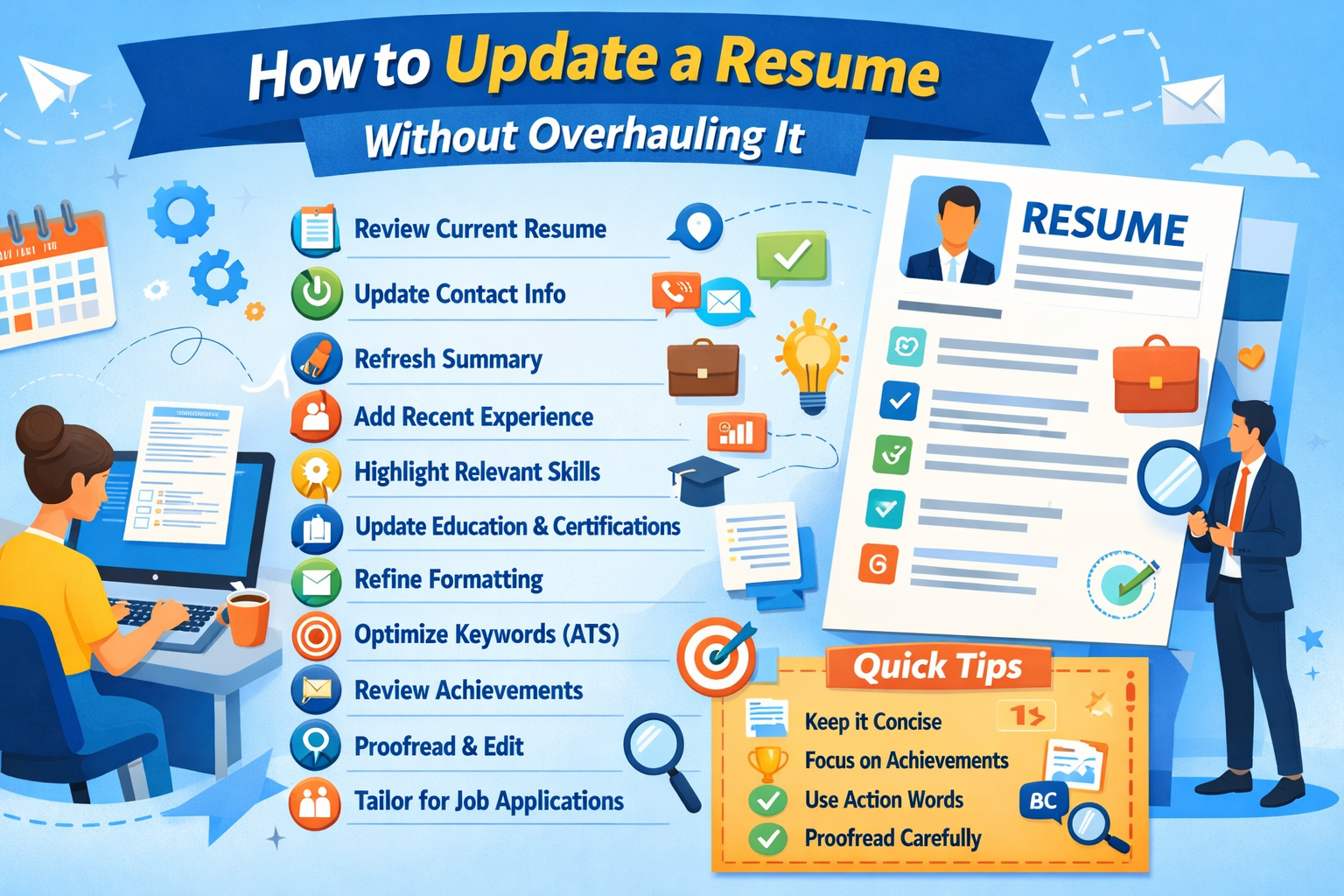
How to Update a Resume Without Overhauling It?
Step 1: Review Your Existing Resume
The first step in updating your resume is to carefully review the current version. Ask yourself the following questions:
- Is the contact information correct?
- Are there any outdated skills listed?
- Does the resume reflect your current career goals?
- Are there any achievements missing?
When reviewing, look for sections that are outdated or irrelevant. For example, if your resume includes a summer internship from 10 years ago, it may be better to remove it unless it is highly relevant to your current job goal.
Step 2: Update Your Contact Information
It may seem simple, but updating your contact details is crucial. Ensure the following:
- Phone number: Make sure your current number is listed.
- Email address: Use a professional email. Avoid old or personal emails that seem unprofessional.
- LinkedIn profile: If you have updated your LinkedIn, include the new URL.
- Portfolio or website: If you have an online portfolio, update the link.
Even a small mistake in contact information can make recruiters lose interest.
Step 3: Update Your Professional Summary or Objective
Your professional summary is the first thing a recruiter reads. Updating it helps to highlight your current goals and skills.
Tips for Updating Your Summary:
- Keep it short: 3–4 sentences are enough.
- Focus on achievements: Mention recent accomplishments.
- Match the job: Use keywords from job descriptions relevant to your field.
- Highlight growth: Show how you have developed in your career.
Example Before Update:
“Motivated marketing professional seeking opportunities to grow in the digital marketing field.”
Example After Update:
“Digital marketing specialist with 5 years of experience in social media and content strategy. Successfully increased brand engagement by 40% and led campaigns generating $100K in revenue. Seeking opportunities to contribute creativity and strategy to a growth-oriented company.”
Even small updates like this make your resume appear current and targeted.
Step 4: Add Recent Work Experience
One of the most important parts of a resume is the work experience section. Adding your most recent experiences makes your resume relevant.
How to Update Work Experience Without Overhauling:
- Add new roles: Include your recent job titles and responsibilities.
- Update accomplishments: Highlight measurable achievements, such as “Increased sales by 20% in 6 months.”
- Keep old roles concise: You do not need to rewrite old roles unless they are outdated. Focus on achievements instead of just responsibilities.
Example:
“Project Manager, ABC Company (2023–Present)”
- Led a team of 10 to complete projects 15% ahead of schedule.
- Implemented a new workflow that improved efficiency by 25%.
Small updates like this keep your resume fresh without changing the entire structure.
Step 5: Highlight Skills That Are Relevant Now
Skills are constantly evolving. Updating your skills section ensures your resume matches current job market trends.
How to Update Skills:
- Remove outdated skills: For example, if you learned a software 10 years ago and no longer use it, remove it.
- Add new skills: Include new tools, technologies, or soft skills acquired recently.
- Match job descriptions: Look at job postings in your field and update skills accordingly.
Example:
Old Skills: Microsoft Word, Photoshop, Social Media Basics
Updated Skills: Microsoft Office Suite, Adobe Photoshop, Social Media Strategy, SEO, Google Analytics
Updating your skills section can significantly improve your resume’s impact.
Step 6: Update Education and Certifications
Your education section may not change often, but certifications and courses can be updated regularly.
- Add new certifications: For example, an online course or professional certificate relevant to your field.
- Include dates: Always mention the year of completion.
- Highlight relevance: If a certification strengthens your job application, place it near the top of your resume.
Example:
“Certified Digital Marketing Professional (CDMP), 2024”
“Google Analytics Certification, 2023”
Even minor updates like these make your resume stand out to recruiters.
Step 7: Update Resume Formatting
Sometimes, formatting alone can make your resume look outdated. You don’t need a complete overhaul to improve readability.
Tips to Refine Formatting:
- Use consistent fonts: Stick to one professional font like Arial, Calibri, or Times New Roman.
- Add bullet points: Break long paragraphs into bullet points for easier reading.
- Use bold for emphasis: Highlight job titles and key achievements.
- Check spacing: Ensure sections have proper spacing and alignment.
- Keep it concise: Ideally, a resume should be 1–2 pages.
Refining formatting can make your resume more modern without rewriting content.
Step 8: Update Keywords for Applicant Tracking Systems (ATS)
Many companies use Applicant Tracking Systems (ATS) to filter resumes. Updating keywords ensures your resume passes these systems.
- Use industry-specific terms: Look at recent job postings and include relevant terms.
- Include action verbs: Words like “managed,” “led,” “created,” “implemented” show impact.
- Avoid keyword stuffing: Use naturally, don’t force keywords.
Example:
Instead of saying: “Responsible for social media marketing,”
Say: “Developed and executed social media campaigns, increasing engagement by 30%.”
Updating keywords is a small tweak with a big impact on resume visibility.
Step 9: Review Achievements and Metrics
Recruiters love measurable results. Updating achievements with numbers and results makes your resume stronger.
- Add measurable outcomes: Sales percentages, revenue growth, or efficiency improvements.
- Remove vague statements: Avoid phrases like “Worked on projects” or “Responsible for tasks.”
- Prioritize recent achievements: Focus on recent results rather than old tasks.
Example:
Old: “Managed marketing campaigns for the company.”
Updated: “Managed digital marketing campaigns resulting in a 50% increase in website traffic within six months.”
This approach strengthens your resume without changing the overall layout.
Step 10: Proofread and Edit
Even small updates can introduce errors. Proofreading is crucial to maintain a professional impression.
- Check for spelling and grammar: Simple errors can reduce credibility.
- Ensure consistency: Check dates, job titles, and formatting.
- Read aloud: This helps catch awkward sentences or typos.
- Use tools: Grammarly or Microsoft Word spelling check can help.
Proofreading ensures your resume looks polished and professional.
Step 11: Tailor for Specific Applications
You don’t need to overhaul your entire resume for each job, but small tailoring can improve results.
- Adjust summary: Match the job description.
- Highlight relevant skills: Move skills to the top if they are required for a specific job.
- Focus on relevant experience: Emphasize roles or achievements most aligned with the position.
Even minor adjustments make your resume more attractive to specific employers.
Step 12: Save and Backup Updated Resume
After updating, save your resume in multiple formats and locations.
- PDF format: Maintains formatting across devices.
- Word document: Allows easy future edits.
- Cloud storage: Backup in Google Drive, Dropbox, or OneDrive.
Having backups ensures you can quickly share your resume when opportunities arise.
Common Mistakes to Avoid While Updating
- Adding too much information: Don’t overcrowd your resume. Keep it concise.
- Ignoring older experiences: While focus is on recent roles, don’t remove key achievements from older positions.
- Overcomplicating formatting: Stick to a professional look, avoid fancy fonts or graphics.
- Not proofreading: Even small mistakes can create a negative impression.
- Forgetting to update keywords: This can reduce your chances with ATS systems.
By avoiding these mistakes, you ensure that updates enhance your resume rather than weaken it.
You can also read “Resume Review Checklist Used by Recruiters”.
Conclusion
Updating a resume does not always mean starting from scratch. Small changes, such as adding recent achievements, refreshing skills, refining formatting, and tailoring for specific jobs, can make your resume current and competitive. Regular updates reflect your career growth, improve your chances of being noticed by recruiters, and prepare you for unexpected opportunities.
Remember, your resume is a living document. A few minutes of regular updates every few months can save time and effort when a job opportunity arises. By following the steps outlined in this article, you can keep your resume strong and relevant without overhauling it completely.
You can read more such blogs here.






Comments (1)
as I website possessor I believe the subject material here is rattling excellent, thanks for your efforts.